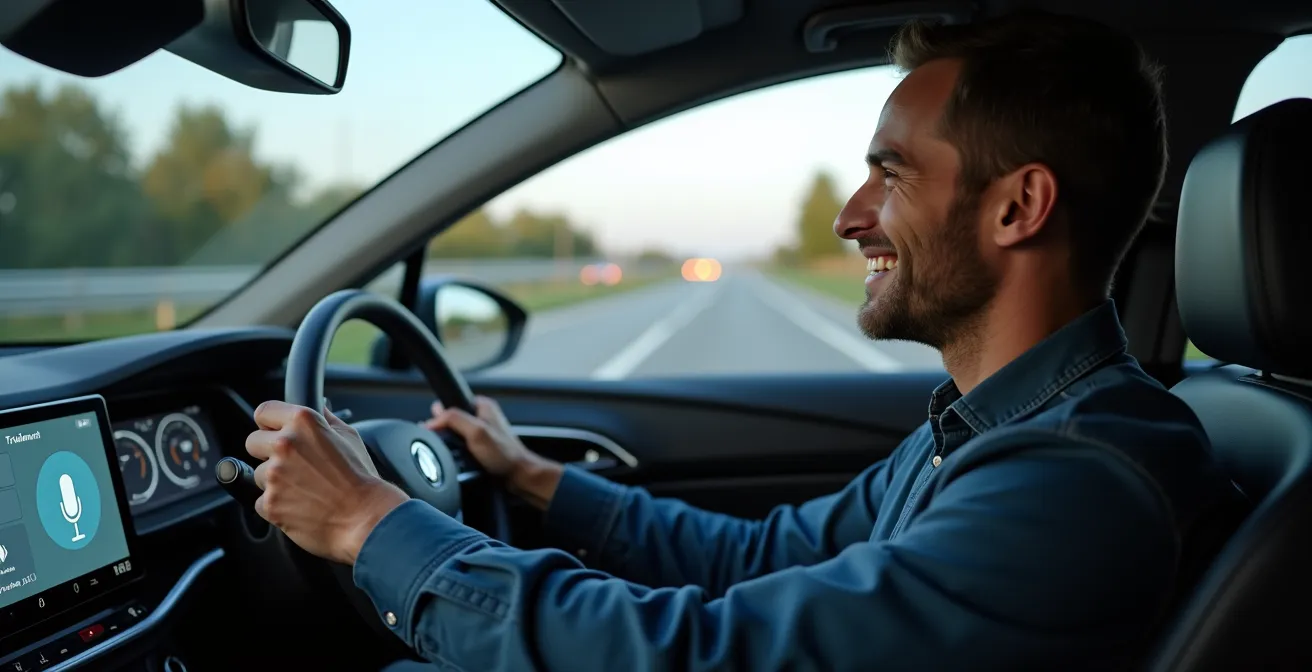
The common belief that hands-free voice control is inherently safer than a touchscreen is a dangerous oversimplification.
- System unreliability—from accent recognition errors to software bugs—forces drivers to mentally debug the interface, creating a significant cognitive load.
- A predictable, quick touch interaction can be less distracting than a failed, frustrating voice command sequence that diverts mental focus from the road.
Recommendation: Prioritize systems with proven reliability and predictability, regardless of whether the primary input is voice or touch. A flawed hands-free system is not a safe system.
“Hey, call Sarah.” The system pauses, then confidently replies, “Calling… Sam.” You sigh, cancel the call, and repeat the command, enunciating every syllable. This scenario is more than a minor annoyance; it’s a critical safety failure. For years, the automotive industry has pushed a simple narrative: touchscreens are a visual distraction, while voice control is the hands-free, eyes-on-the-road solution. The implication is that voice is inherently safer.
As a user interface tester specializing in automotive systems, I argue this is a dangerously misleading dichotomy. The true measure of safety isn’t whether your hands are on the wheel, but how much of your brain is off the road. The real enemy is cognitive load—the mental effort required to complete a task. A buggy, unreliable voice assistant that forces you into a frustrating loop of commands and corrections can be far more distracting than a single, predictable tap on a well-designed touchscreen.
The debate should not be voice versus touch, but reliable versus unreliable. It’s a question of predictability and mental bandwidth. A system that fails to understand you introduces a secondary, unplanned task: troubleshooting the interface itself. And that task happens while you’re supposed to be navigating traffic. This analysis will deconstruct the performance of modern infotainment systems, moving beyond the hands-free myth to evaluate what truly makes an interface safe to use at 70 miles per hour.
To understand the nuances of this debate, we will explore the specific challenges and strengths of each system. This guide breaks down why your car struggles with commands, how to mitigate these flaws, and which technologies are genuinely leading the way in reducing driver distraction.
Summary: Voice vs. Touch: A Critical Look at In-Car Interface Safety
- Why Your Car Doesn’t Understand Accents as Well as Your Phone?
- How to Program Voice Shortcuts for Common Driving Tasks?
- CarPlay/Android Auto or Manufacturer OS: Which Has Better Navigation?
- The Multitasking Mistake: Trying to Order Coffee While Merging
- When to Update Your Infotainment System to Fix Bugs?
- Alexa or Google Home: Which Understands Natural Language Better?
- How to Implement AR Guides Without Distracting from the Artifacts?
- How Will Mobility as a Service Replace Private Car Ownership?
Why Your Car Doesn’t Understand Accents as Well as Your Phone?
The primary reason your car’s voice assistant feels years behind your smartphone is a matter of environment and architecture. Your phone leverages massive, cloud-based processors and ever-growing datasets to interpret a near-infinite variety of accents, dialects, and speech patterns. Your car, however, often operates within a closed system. It’s what we call the “acoustic bubble”—a complex, noisy environment filled with interference from the engine, road, tires, and HVAC system. This makes isolating a voice command incredibly difficult for the onboard hardware.
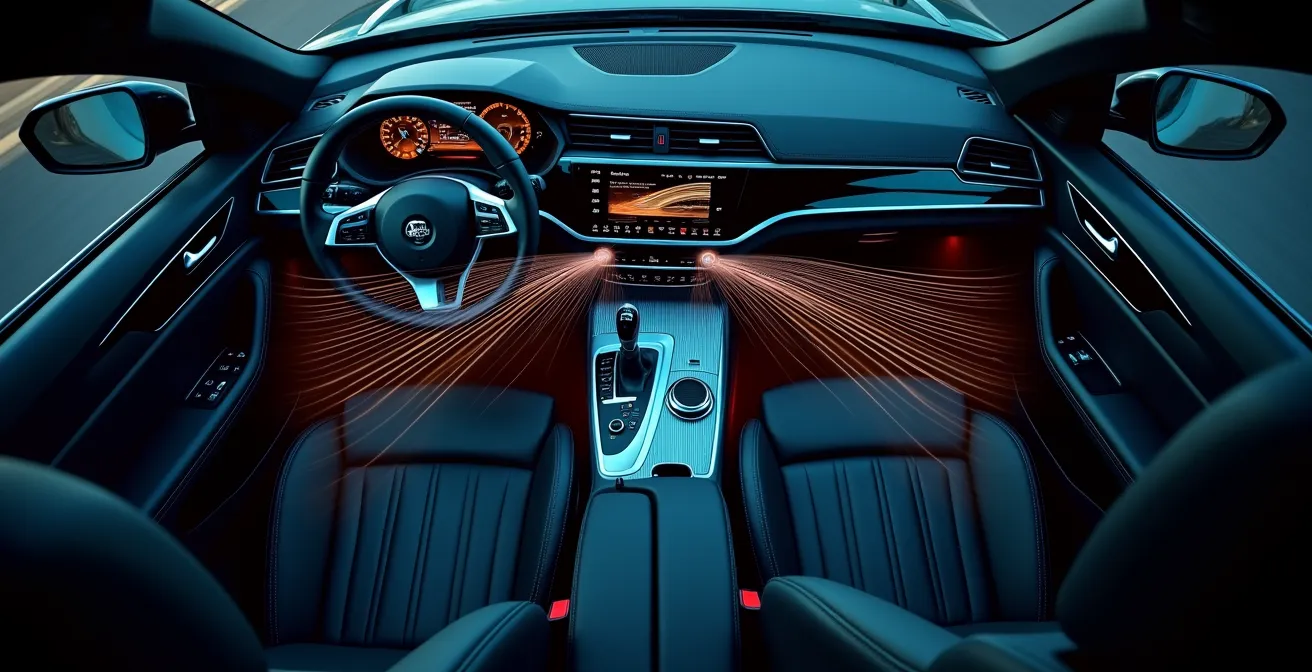
As the visualization above suggests, the soundscape inside a vehicle is a chaotic mix of frequencies that can easily corrupt a voice command before the microphone even captures it. To compensate, many automotive systems rely on offline processing, which has inherent limitations in both power and data compared to a cloud-based system like Google Assistant or Siri.
Case Study: The Challenge of In-Car Multilingual Recognition
Bosch’s spoken dialog system highlights this exact challenge. To function effectively across different regions, their infotainment solutions require built-in multilingual voice destination input capabilities. While the system is advanced enough to process natural sentences and even handle some speech impediments, its reliance on offline processing for core functions makes it fundamentally different from the constantly learning, cloud-connected AI on your phone. This distinction is the root cause of most in-car voice recognition failures.
Ultimately, your car’s system is designed for robustness in a hostile acoustic environment, often at the cost of the nuanced understanding that cloud-based AIs provide. This trade-off is why simple commands can fail and why heavy accents or background noise can render the system useless.
How to Program Voice Shortcuts for Common Driving Tasks?
Given the inherent unreliability of many built-in voice systems, the safest approach for a driver is to create a layer of predictability. Programming voice shortcuts, or routines, transforms complex or frequently misunderstood commands into simple, reliable triggers. Instead of hoping the system understands a multi-step request like “Navigate to work and play my morning playlist,” you can create a single, custom command like “Start my commute” that executes both actions flawlessly. This is not just a convenience; it’s a critical safety feature that reduces cognitive load and eliminates the need to troubleshoot a failing command while in motion.
The goal is to minimize interaction time and maximize success rate. The less you have to think about how to phrase a command, the more mental energy you have for the primary task of driving. Effective shortcuts are short, phonetically distinct, and tied to a specific, repeatable outcome. They turn an unpredictable conversation with your car’s AI into a predictable instruction.
Your Action Plan: Create Effective Voice Shortcuts
- Identify Frequent Tasks: List the top 3-5 multi-step actions you perform while driving (e.g., call a specific person, navigate home, play a favorite podcast). These are your primary targets for shortcuts.
- Choose a Unique Wake Word/Phrase: Use the system’s routine-creation tool (like Apple Shortcuts for CarPlay, Google Routines for Android Auto, or Mercedes MBUX Routines) to define a simple, unique trigger phrase like “Heading home” or “Morning brief.” Avoid phrases that sound similar to other commands.
- Build the Multi-Action Routine: Chain the desired actions together within the routine. For a “Heading home” shortcut, this could be: 1. Set navigation to ‘Home’. 2. Send a pre-written text message like ‘On my way’. 3. Play ‘My Evening Drive’ playlist.
- Test in Noisy Conditions: Before relying on it in traffic, test your shortcut with the radio on or windows down to ensure the system can still distinguish the command. If it fails, make the trigger phrase more phonetically distinct.
- Integrate External Services: For advanced automation, explore connecting your car’s assistant to services like IFTTT. This can bridge your car and smart home, allowing a command like “I’m almost home” to turn on your lights and adjust the thermostat.
By investing a small amount of time to program these shortcuts, you are actively designing a safer, less distracting cockpit for yourself. You are forcing the system to be reliable where it otherwise might not be.
CarPlay/Android Auto or Manufacturer OS: Which Has Better Navigation?
The choice between using a phone-based projection system like Apple CarPlay or Android Auto versus the vehicle’s native manufacturer OS is a classic battle of convenience versus integration. From a UI tester’s perspective, neither is perfect, and the “better” option often comes down to a series of trade-offs in reliability, features, and, most importantly, driver distraction. A recent 2024 YouGov poll reveals that only 33% of drivers have ever used voice assistants, with a striking 39% completely uninterested in the technology. This user apathy suggests that neither system has fully won the trust of the driving public.
CarPlay and Android Auto excel at what they do best on your phone: superior natural language processing for voice commands and access to real-time traffic data through apps like Google Maps and Waze. However, their integration with the vehicle’s core hardware, like the Head-Up Display (HUD) or instrument cluster, can be inconsistent. A manufacturer’s native OS, conversely, offers deep, seamless integration with all vehicle systems, including advanced EV route planning with charger locations and comprehensive offline maps stored on a hard drive. Its weakness is often a clunkier voice command system that requires more specific, less natural phrasing.
| Feature | CarPlay/Android Auto | Manufacturer OS |
|---|---|---|
| Offline Maps | Limited/Requires Pre-download | Fully Pre-loaded on Hard Drive |
| Real-time Traffic | Excellent with Data Connection | Good but Less Frequent Updates |
| Voice Command Complexity | Superior Natural Language | System-Specific Commands |
| HUD Integration | Varies by Vehicle | Native Full Integration |
| EV Route Planning | Basic Support | Advanced with Charging Integration |
The safety verdict depends on the driver’s priority. If your primary concern is foolproof navigation in an area with poor cell service, the manufacturer’s system with pre-loaded maps is superior. If your priority is the lowest possible cognitive load for setting a destination via voice, the superior natural language understanding of CarPlay or Android Auto is the safer bet, as it reduces the chance of a frustrating command-and-correction loop.
The Multitasking Mistake: Trying to Order Coffee While Merging
The human brain cannot truly multitask. It can only switch between tasks rapidly, and each switch comes with a cognitive penalty. In a driving context, this “task-switching” is exceptionally dangerous. The belief that a “quick” interaction with an infotainment system—voice or touch—is harmless is a fallacy. In fact, crucial SINTEF research demonstrates that just two seconds of distraction from traffic doubles the chances of an accident. This two-second window is easily exceeded when trying to find a song, input an address, or even adjust the climate control.
Case Study: The Eye-Tracking Evidence Against Distraction
In the same SINTEF study, researchers used eye-tracking technology on 44 drivers, recording 3,000 interactions with touchscreens. The results were alarming: while performing tasks like entering an address on a digital map, drivers spent, on average, half of their time looking at the screen instead of the road. The study concluded that driver inattention was a contributing factor in one out of every three fatal accidents, cementing the link between interface interaction and catastrophic risk.
This is where the cognitive load of a failed voice command becomes so perilous. A simple touch interaction might take two seconds of visual attention. A failed voice command, however, can initiate a 10- or 15-second mental battle with the interface, where the driver’s focus is entirely on reformulating their request, listening for the incorrect response, and planning their next attempt. During this time, their eyes might be on the road, but their mind is completely disengaged from the task of driving.

The image above visualizes this concept: at a critical moment like merging, the driver’s mental bandwidth is already saturated. Adding any secondary task, especially one that is frustrating and unpredictable, dangerously overloads their cognitive capacity, leaving no room for reacting to unexpected events on the road.
When to Update Your Infotainment System to Fix Bugs?
An infotainment system is not a static piece of hardware; it’s a complex software environment that requires regular updates to fix bugs, improve performance, and enhance features. For drivers frustrated by poor voice recognition or system glitches, an update can often be the most effective solution. However, not all updates are created equal. It’s crucial to distinguish between minor feature additions and critical bug fixes that address core functionality like voice recognition improvements or microphone sensitivity.
Manufacturers typically push two types of updates: Over-the-Air (OTA) updates and dealer-installed updates. OTA updates are convenient, delivered directly to the car via its cellular connection, and usually handle smaller fixes, security patches, and new app integrations. For cloud-based systems with Google or Amazon built-in, the AI’s language model is updated automatically and continuously in the background. More significant issues, especially those related to the vehicle’s core electronic control units (ECUs), often require a dealer update. Before taking that step, a simple forced reboot (holding the infotainment power button for 10-15 seconds) can sometimes resolve temporary software conflicts.
When a new update is available, always check the release notes. Look for specific keywords like “natural language processing updates,” “connectivity improvements,” or “system stability fixes.” These indicate that the update is targeting the foundational problems that cause the most driver frustration and distraction.
Integration of this technology in vehicles continues to advance on an ongoing basis, thanks in part to over-the-air (OTA) software updates
– J.D. Power Automotive Research, Digital Voice Assistant Technology Report
As this research suggests, the evolution of in-car tech is rapid. Ignoring an update means you could be missing out on a critical fix that makes your voice assistant significantly more reliable and, therefore, safer to use.
Alexa or Google Home: Which Understands Natural Language Better?
As automakers increasingly integrate third-party assistants directly into their vehicles, the “in-house vs. phone projection” debate is evolving. The new frontier is the battle between fully embedded ecosystems like Alexa Auto and Google Assistant. Both bring their cloud-based strengths in natural language processing into the car, representing a significant leap over most legacy manufacturer systems. However, they have distinct philosophies and capabilities that impact the user experience.
Google Assistant generally excels in context retention and leveraging its vast search and mapping data. It can understand follow-up questions without needing you to repeat the subject and proactively offers suggestions based on your calendar or current traffic conditions. Alexa’s strength lies in its deep integration with the Amazon ecosystem, making it seamless for tasks like adding items to a shopping list or controlling smart home devices. The choice between them often depends on which digital ecosystem you are already more invested in.
Case Study: The Push for Conversational AI with ChatGPT
The next evolution is already in testing. Mercedes-Benz recently launched a beta program in the U.S. to integrate ChatGPT into its MBUX infotainment system. This move aims to go beyond simple commands and enable a more natural, conversational interaction. The system can handle a much wider range of topics and provide more dynamic responses. While still in its infancy, this pilot demonstrates the industry’s push towards an AI that doesn’t just take commands but understands and converses, potentially reducing the cognitive load of interacting with it.
| Capability | Alexa Auto | Google Assistant |
|---|---|---|
| Context Retention | Good | Excellent |
| Ecosystem Integration | Amazon Services/Shopping | Google Services/Search |
| Proactive Suggestions | Shopping/Reminders | Traffic/Calendar |
| Multi-language Support | Good | Excellent |
| Privacy Controls | Standard | Standard |
From a safety standpoint, the assistant with better context retention and more accurate first-time command recognition—typically Google Assistant—has the edge. It minimizes the need for repeat commands and corrections, which are primary sources of driver distraction.
How to Implement AR Guides Without Distracting from the Artifacts?
Augmented Reality (AR) Head-Up Displays (HUDs) are often touted as the ultimate safety solution, projecting vital information like navigation arrows and speed directly onto the windshield. The premise is simple: keep the driver’s eyes looking forward. However, the implementation is fraught with peril. A poorly designed AR display can become the very distraction it’s meant to prevent, cluttering the driver’s field of view with non-essential information and increasing cognitive load. Data shows that distracted driving is a factor in 27% of all crashes, and a busy AR display can easily become another form of digital distraction.
The key to a safe AR implementation is radical minimalism. The display must act as a subtle guide, not a second infotainment screen. It should present only the most critical information, at the exact moment it’s needed, and then disappear. For navigation, this means a single, clear arrow indicating the next turn, or highlighting the correct lane, rather than a constant display of the full map. The goal is to provide “glanceable” information that can be absorbed in a fraction of a second, not data that needs to be read and interpreted.

As the concept image above illustrates, an effective AR element is one of pure information, stripped of all decoration. The light-refracted arrow provides the necessary directional cue without obscuring the road or demanding prolonged attention. This “less is more” philosophy is the only way for AR to fulfill its safety promise. When the interface becomes a source of visual noise—displaying song titles, incoming messages, or superfluous graphics—it fails, becoming just another high-tech hazard.
The technology itself is not a solution; its thoughtful and restrained application is. A successful AR guide enhances reality without overwhelming it, ensuring the most important “artifact” in the driver’s view remains the road ahead.
Key Takeaways
- The true measure of in-car interface safety is cognitive load, not just whether an action is “hands-free.”
- System reliability is paramount; a flawed voice command that requires correction is more dangerous than a quick, predictable touch.
- Users can mitigate system flaws by creating their own predictable voice shortcuts for common, multi-step tasks.
How Will Mobility as a Service Replace Private Car Ownership?
The technologies we’ve discussed—advanced voice assistants, cloud-based user profiles, and seamless connectivity—are more than just features for the private car owner. They are the foundational building blocks for the future of transportation: Mobility as a Service (MaaS). In a MaaS model, individuals subscribe to a transportation service rather than owning a specific vehicle. You might use a small electric car for a solo commute, summon an autonomous shuttle for a family outing, and have a larger vehicle delivered for a weekend trip, all under one service.
For this model to work, the user experience must be seamless and personalized. When you step into any vehicle in the network, it must instantly become “yours.” This is where integrated systems like Android Automotive OS become critical. Your personal profile, stored in the cloud, will load your navigation history, music preferences, climate settings, and, most importantly, your custom voice shortcuts. The car becomes a temporary vessel for your digital identity.
Case Study: Polestar’s Cloud-Based Vehicle Integration
Polestar’s pioneering integration of Android Automotive OS offers a glimpse into this future. By deeply embedding Google Assistant, the system allows drivers to use any Google-connected device to remotely check the vehicle’s battery level, pre-set cabin temperature, and verify its status. This demonstrates how a personal user profile can decouple from a specific piece of hardware. The ability for your settings and preferences to transfer effortlessly between shared vehicles is the core enabler of a functional MaaS ecosystem.
In this context, a reliable, powerful, and easy-to-use voice interface is no longer a luxury—it’s an operational necessity. It will be the primary way users interact with a constantly changing fleet of vehicles. The automakers and tech companies that master this seamless, low-distraction user experience will be the ones who lead the transition away from private car ownership.
To ensure your safety now, the next step is to critically audit your own vehicle’s interface. Test its limits in a safe, parked environment, program your most-used commands as shortcuts, and learn which tasks are simple enough for voice and which are better left to a quick, predictable touch or for when you are not in motion.